AI Product Photography Prompts That Preserve the Product
A prompt system for changing scene, light, composition, and mood while keeping product-defining details intact.
 EzNanoBanana Editorial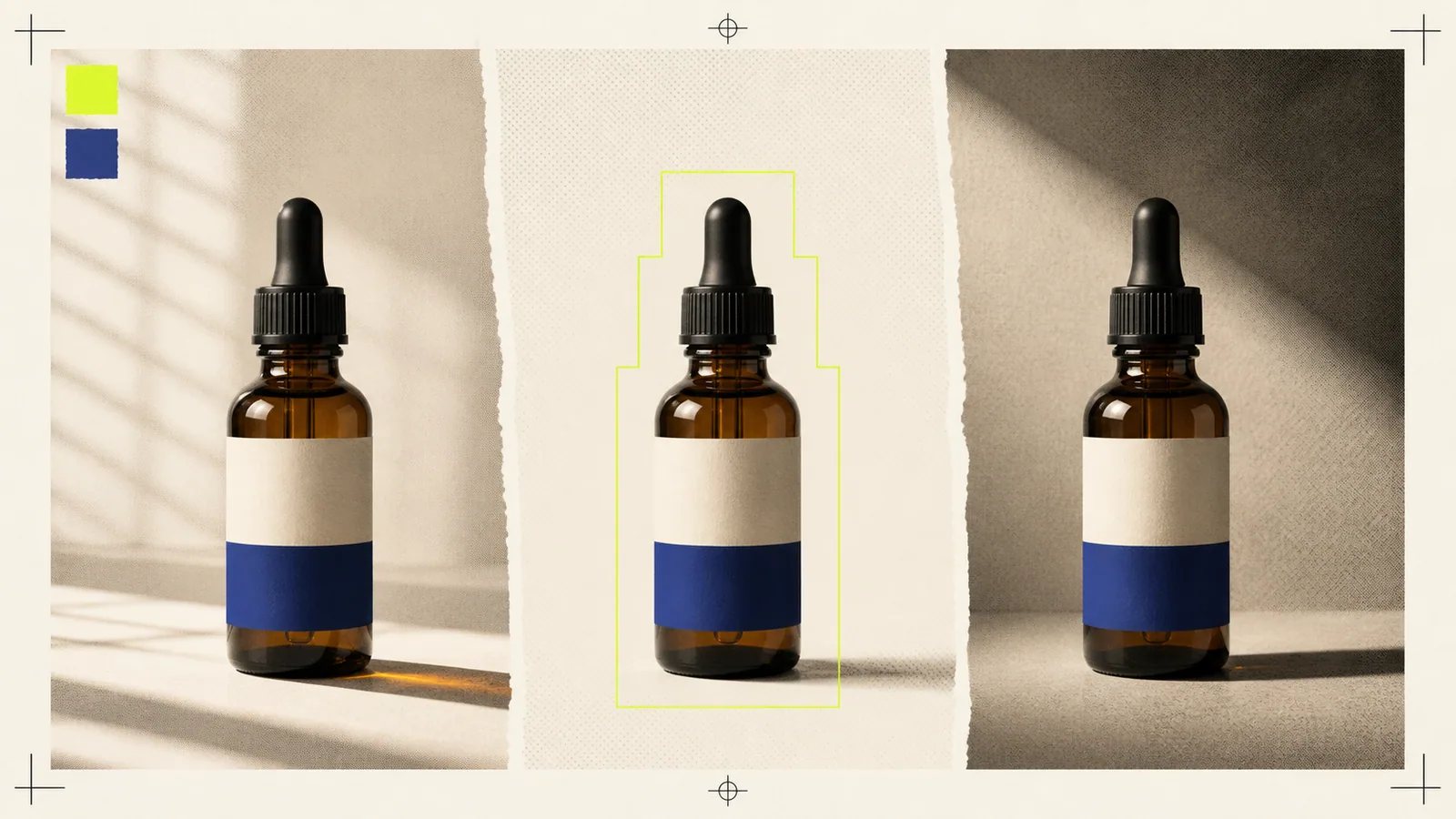
The best AI product photography prompts treat the product as locked and the photograph as editable. They separate product truth—shape, label, color, material, and proportions—from creative direction such as background, light, camera, props, and mood.
That distinction lets you explore a campaign without quietly redesigning the item you are trying to sell.
Build a product lock before the prompt
List the attributes that must survive every image:
- silhouette and physical proportions;
- package geometry and closure;
- logo, label layout, and exact text;
- material, transparency, gloss, and texture;
- core product color;
- distinctive seams, buttons, ports, or hardware;
- contents, fill level, or pattern placement;
- camera-visible defects that must not be “beautified” away.
This is your product lock. Keep it short enough to reuse and specific enough to review.
Google's subject-reference documentation includes product references as a way to guide an image into a new scene (Google Cloud subject customizationnofollow). A reference can improve continuity, but any commercial image still needs a comparison against the real product.
Translate a photography brief into prompt fields
Physical product photography already has a useful control system. Shopify's guide emphasizes product preparation, stable framing, accurate focus, controlled light, and props that do not compete with the item (Shopify product photography guidenofollow).
Use the same categories in an AI prompt:
- Product lock: what cannot change.
- Shot purpose: catalog, detail, lifestyle, editorial, seasonal, or ad.
- Composition: angle, shot size, placement, and negative space.
- Surface and background: where the product sits and what surrounds it.
- Lighting: direction, softness, color, contrast, and reflections.
- Camera feel: depth of field, perspective, and focal emphasis.
- Finish: realistic, glossy commercial, restrained editorial, and so on.
- Validation: which source details must match.
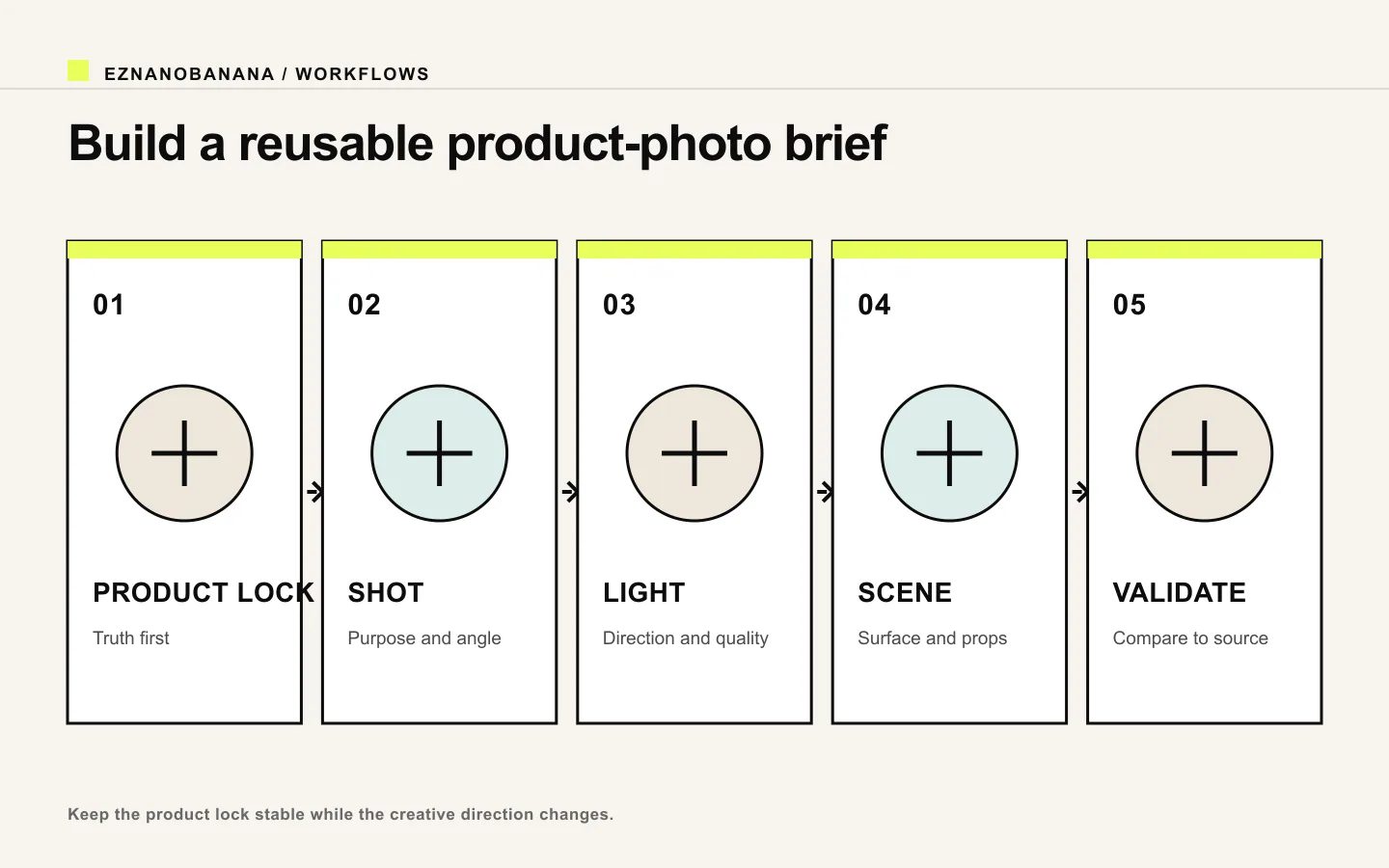 Five-part product photography brief covering product lock, shot, light, scene, and validation.
Shopify's photography style guide similarly recommends documenting lighting, framing, and background treatment, including transparent, contextual, and themed backgrounds (Shopify photography style guidenofollow). A reusable prompt is therefore closer to a small style guide than a bag of adjectives.
A reusable product-photo prompt template
Create a [shot purpose] image using the referenced [product]. Preserve [product lock] exactly. Place it [position and surface] against [background]. Use [lighting direction, quality, and color] with [shadow/reflection behavior]. Frame as [angle and shot size], leaving [negative space] for [crop or copy]. Add only [supporting props]. Finish as [visual treatment]. The result passes if [product validation checks].
Keep the product lock stable across a campaign. Change the shot-purpose blocks to create variety.
Prompt 1: clean catalog image
Create a clean ecommerce catalog photograph using the referenced amber dropper bottle. Preserve the exact bottle proportions, shoulder shape, black pipette cap, amber glass color, fill level, label layout, logo, and all label text. Center the bottle on a seamless warm-white background, photographed straight on at eye level. Large soft source from upper left, gentle fill from the right, short neutral contact shadow, controlled glass reflections, deep focus. No props. The product must match the source before the image is used.
Use a catalog prompt when clarity matters more than atmosphere. If your marketplace or retailer has image rules, check the current rules separately rather than assuming a generated white background is compliant.
Prompt 2: editorial hero with copy space
Create an editorial hero photograph of the referenced matte-black headphones. Preserve the headband geometry, ear-cup proportions, controls, logo placement, surface finish, and color. Place the headphones on a low charcoal plinth, three-quarter view, with generous empty space on the left for a headline. One narrow warm rim light from behind and a broad cool key from camera right; readable separation from the background; restrained shadow. Premium technology editorial, subtle texture, no floating particles, no extra accessories.
Negative space should be deliberate. Shopify notes that planned negative space supports cropping and text placement (Shopify product photography workflownofollow).
Prompt 3: lifestyle scene
Create a natural morning lifestyle photograph using the referenced ceramic travel mug. Preserve its tapered shape, lid geometry, handle-free body, sage glaze, logo, and printed wording. Place it on a light oak desk beside a closed notebook and one pencil. Soft window light from the left, believable contact shadow, subtle warm room bounce, eye-level three-quarter view. Keep the mug as the sharpest and highest-contrast object; props remain secondary. Quiet home-office mood, realistic materials.
A lifestyle image should demonstrate context without making a false product claim. Do not add capabilities, accessories, ingredients, or uses that the product does not have.
Prompt 4: ingredient or material story
Create a close editorial product photograph of the referenced face cream jar. Preserve the jar, cap, label, text, color, and product volume exactly. Set the jar on pale travertine with a small smear of cream beside it and two oat stems in the far background. Soft top light through diffusion, subtle side fill, clean highlights on the cap, shallow depth of field that keeps the full label readable. Natural skincare campaign, quiet beige palette.
If the generated texture or ingredient depiction could imply a composition claim, verify it against the product facts or remove it.
Prompt 5: seasonal variation
Create a restrained winter campaign image using the referenced red gift box. Preserve the box dimensions, ribbon construction, logo, red tone, and typography. Place it on dark green paper with one pine sprig outside the product silhouette. Soft overhead light, faint cool fill, clean contact shadow, top-down composition with crop-safe space around all sides. Sophisticated seasonal editorial, no snow effects, no extra gifts.
Seasonality should enter through the environment, not by mutating the product.
Control reflections, transparency, and metal
Reflective and transparent products need explicit environment behavior.
For glass, state the glass color, fill level, edge highlights, and whether the label sits above or behind the transparent layer. For polished metal, describe the reflection as a soft studio gradient rather than an undefined mirror. For glossy plastic, protect the highlight shape because it communicates surface curvature.
Add one line such as:
Maintain physically plausible reflections from the stated light sources; do not invent windows, labels, seams, or openings in the product surface.
This does not guarantee physics, but it gives the result a concrete review target.
Review the product before the photograph
Check the output in this order:
- Truth: label, logo, spelling, color, geometry, included parts.
- Material: transparency, gloss, roughness, seams, and reflections.
- Integration: scale, perspective, contact shadow, and surface interaction.
- Composition: crop, hierarchy, prop competition, and copy space.
- Finish: color grade, texture, sharpness, and campaign consistency.
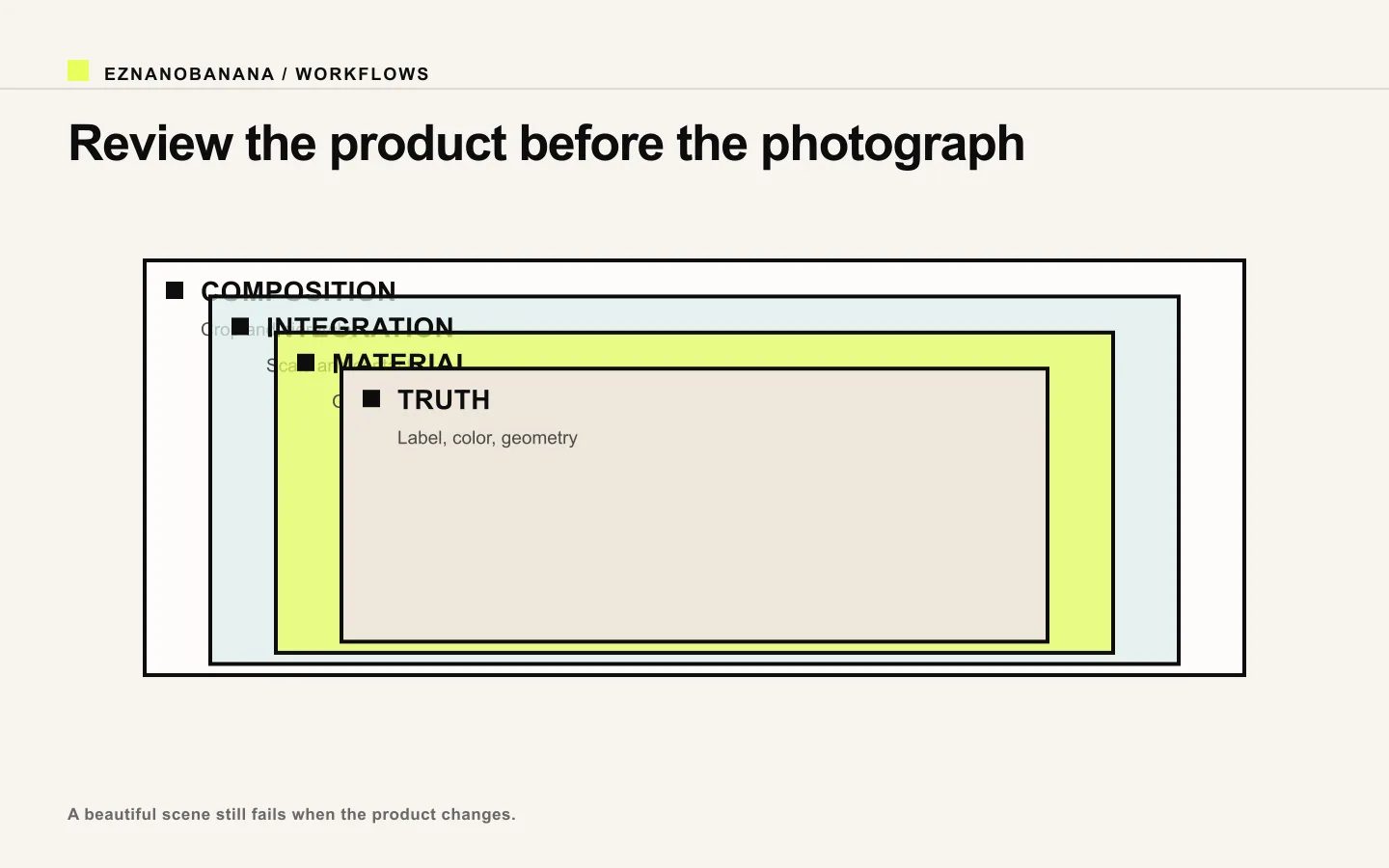 Layered product-photo review from composition through integration and material to product truth.
Never approve a beautiful scene before confirming the product. Zoom into small typography, closures, cable connections, transparent edges, and repeated patterns.
Create a prompt system, not isolated prompts
For a nine-image campaign, keep one product lock and one style block. Vary shot purpose, angle, scale, and environment according to a shot list. This produces more useful diversity than generating nine unrelated “premium product photos.”
You can start with a real product image in the EzNanoBanana image-to-image workflow. Generate one low-risk catalog or editorial variation first, compare it with the source, and only then expand to lifestyle and seasonal scenes.
Link policy demo
Standard links remain follow links. Editorial references marked “nofollow” render with a dotted underline and a small policy label, and include rel="nofollow" in the HTML.
Make the next frame